Game case study
Balloon Pop: Building an Educational Game Kids Actually Want to Play
Educational Toddler Game
Client
Personal Project
Role
Mobile / game developer — gameplay loops and kid UX
Timeline
Concept through App Store release (~3 months)
Platform
iOS
Framework
Swift + SwiftUI
Category
Education · Kids · Casual Gaming
Score
A–Z
Alphabet mode
Score
1–100
Number mode
Score
Ages 2–5
Designed for
Gameplay tour
From mode select to alphabet, numbers, free play, and rewards.
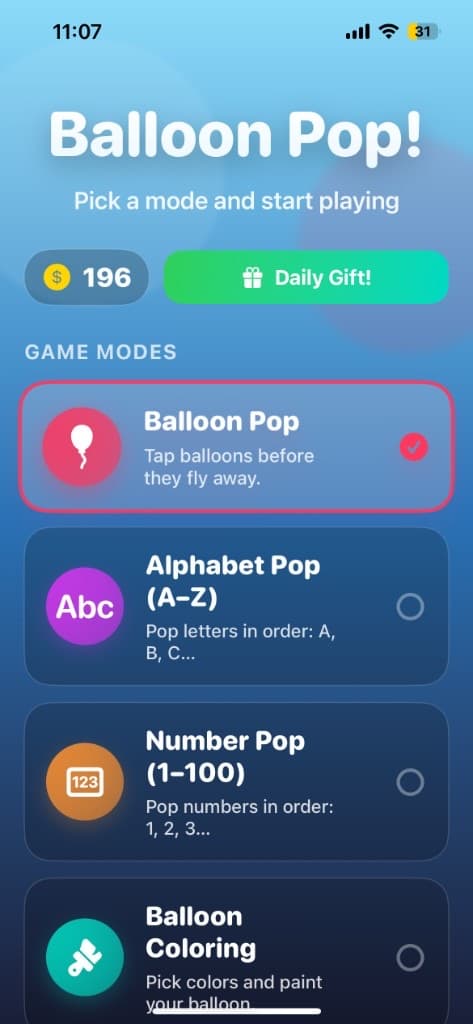
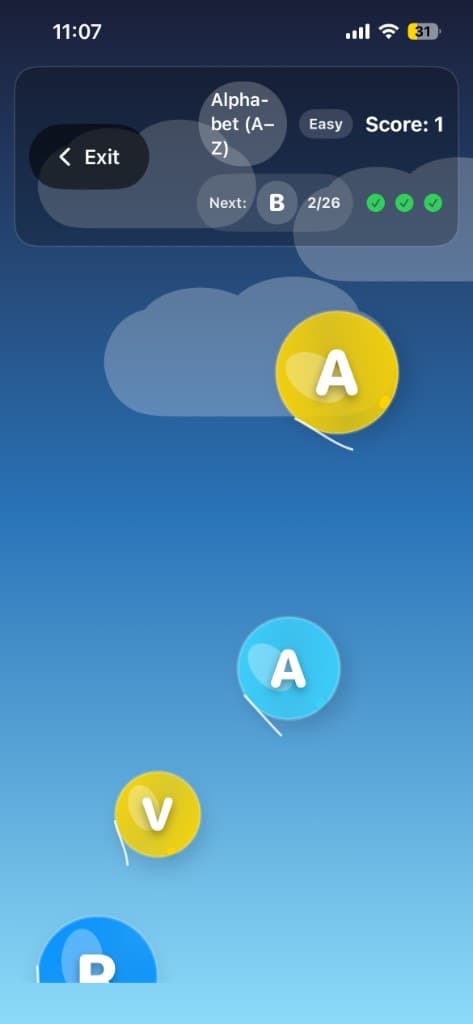
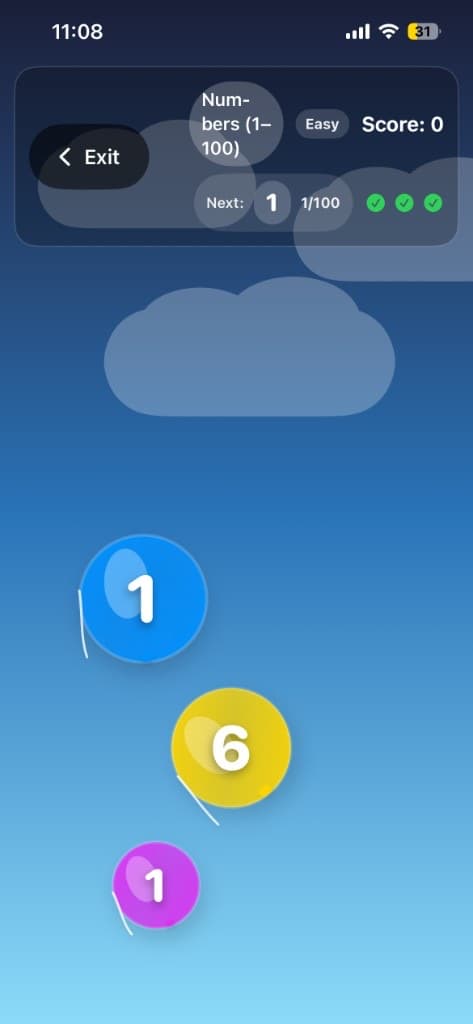
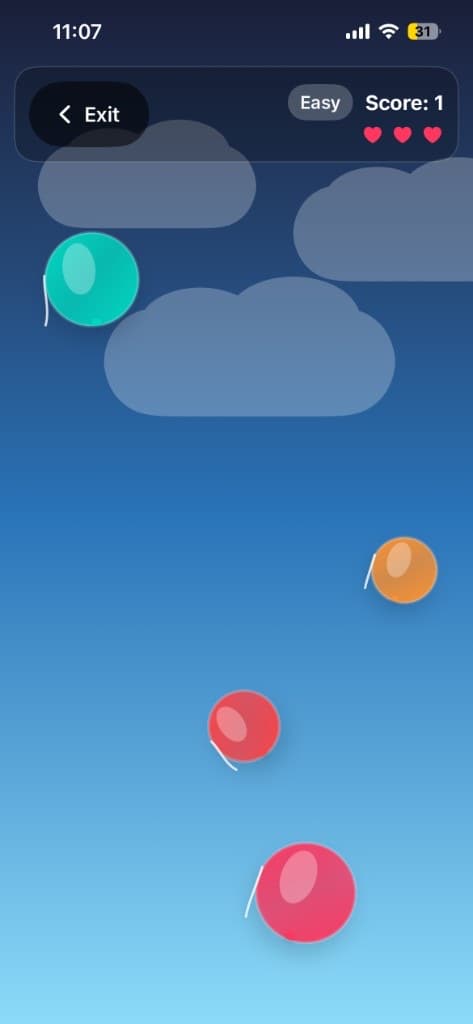
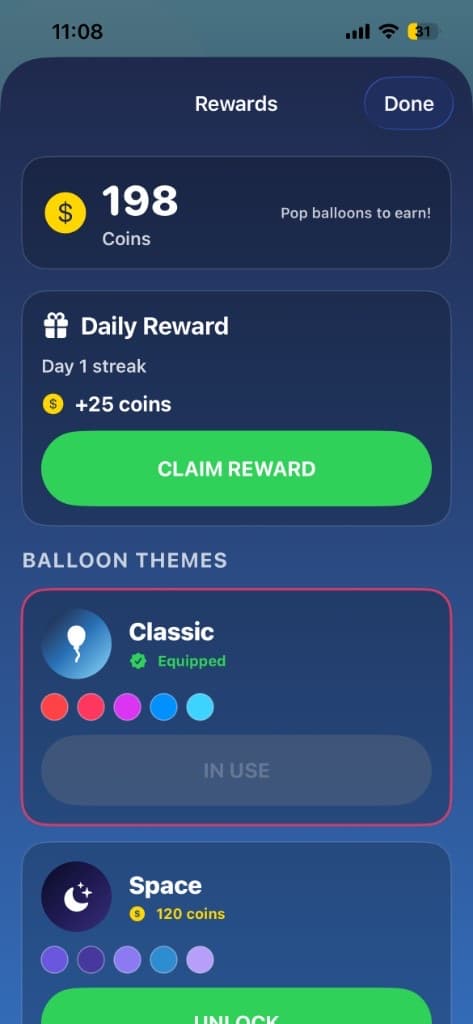
Gameplay tour — mode picker, Alphabet Pop, Number Pop, free play with lives, and daily rewards with balloon themes.
Overview
The fun and the learning had to be the same action — not a quiz bolted onto a generic game.
Most educational apps make a trade-off nobody's happy with: either they're genuinely educational and kids lose interest fast, or they're fun enough to hold attention but the "learning" part is thin decoration on top of a generic game.
Balloon Pop was built to avoid that trade-off. It's a learning game where popping balloons is the actual mechanic through which kids practice letters, numbers, colors, and other early learning concepts — not a game with a quiz bolted on afterward. The fun and the learning had to be the same action, not two separate things stitched together.
The problem
Parents and early-education researchers point to the same recurring issues with kids' learning apps:
- Many "educational" apps feel like a lesson wrapped in a thin game shell, and kids disengage quickly once the novelty wears off
- Session lengths for young children are short, so an app with a slow, complicated setup loses the child's attention before any learning happens
- A lot of kids' apps overload the screen with characters, sounds, and animations that distract from the actual learning objective instead of reinforcing it
- Parents wanted something safe and kid-friendly they could trust — offline play, no cluttered web of accidental purchases or confusing exits out of the game
Designing the Core Loop: Learning as the Mechanic
Level 01
No "back to the fun" escape hatch
If learning is a separate step from play, kids rush through it. Balloon Pop makes the prompt (letter, number, color) and the pop the entire game — there is no unrelated fun mode to escape toward mid-session.
Level 02
Prompt → float → pop → celebrate
A prompt appears, decoy balloons float with wrong answers, and popping the correct one triggers immediate positive feedback. Wrong taps get gentle correction, not a harsh fail state that sends a toddler into frustration.
Level 03
Short, satisfying sessions
Modes are built for ages ~2–5 attention spans: clear mode picker, large touch targets, and loops that deliver a win moment quickly without lengthy menus.
Architecture & tech stack
Balloon Pop is a SwiftUI kids game centered on distinct play modes rather than a single endless arcade loop. A bright mode picker routes into Alphabet Pop (letters A–Z), Number Pop (1–100), free play with lives and score, and a rewards/theme layer. Each learning mode drives the same core mechanic — a prompt plus floating balloons — so kids transfer muscle memory across categories while parents pick the skill focus. Progress, coins, and themes stay local so tablets work in cars, planes, and offline home setups.
| Category | Tools / tech |
|---|---|
| Game framework | Native Swift + SwiftUI for kid-friendly UI and responsive tap gameplay |
| Backend | Fully on-device core experience — no account required to play |
| Local storage | On-device progress, coins, and themes so gameplay works offline |
| Audio / animation | Pop feedback, celebration cues, and colorful balloon motion tied to correct/incorrect taps |
| Difficulty scaffolding | Mode-based progression — Alphabet A–Z in order, Numbers 1–100, plus free play for open practice |
| Rewards | Daily rewards, coins, and balloon themes as light retention loops |
| Distribution | Shipped to the App Store (toddler/family kids category) |
| Category | Educational gaming for early learners |
Key features
Pick a mode — tap to switch.
Learning-integrated gameplay
The pop mechanic itself is the learning activity — no separate quiz mode to switch into, so the experience stays unified rather than fragmented.
Engineering challenges & solutions
Solution
Made correct-answer feedback more satisfying than incorrect-answer outcomes at every layer — sound, animation, and pacing all reinforce choosing the right balloon, so the most rewarding path through the game is also the most educational one.
Results
- Shipped Balloon Pop to the App Store as a toddler/preschool learning game
- Learning modes documented: Alphabet Pop, Number Pop, free play, and rewards/themes
- Core loop designed so the learning prompt and the pop are the same action
- Offline-capable sessions aligned with short attention spans for ages ~2–5
What I’d do differently
- I would invest earlier in clearer parent-facing progress cues (simple category streaks) without turning the kids' space into an analytics dashboard.
- More learning categories (shapes/colors as first-class modes) could come sooner — carefully, so focus on letters and numbers isn't diluted.
- A light session-length / calm-down timer would help parents who want intentional play windows.
Frequently Asked Questions
Building a kids game where learning is the gameplay?
Book a free consultation or message on WhatsApp — bring your age range, learning categories, and how you want sessions to feel for both kids and parents.
Prefer a quick jump? Start on the ads landing page or return to portfolio.