Case study
Create Sticker from Photo: Building a Fast, Fun Photo-to-Sticker App
Custom Sticker Maker App
Client
Personal / App Store product
Role
iOS engineer — photo pipeline, sticker UX, and messaging export
Timeline
App Store product through editor polish, animated stickers, and regional packs
Platform
iOS (App Store)
Framework
Native iOS (Swift / SwiftUI)
Category
Photo & Video / Messaging utility
Seconds
Photo → sticker goal
On-device
ML cutouts · no upload
4+
Export destinations
Product tour
Drag or swipe through the camera scan, result, care, disease, and pest flows.
In-app screens · iPhone
Drag or swipe to browse screens
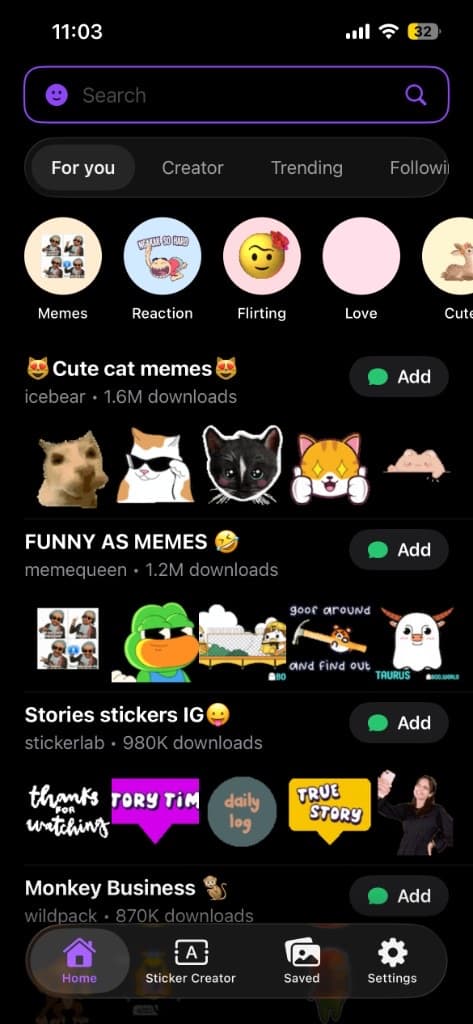
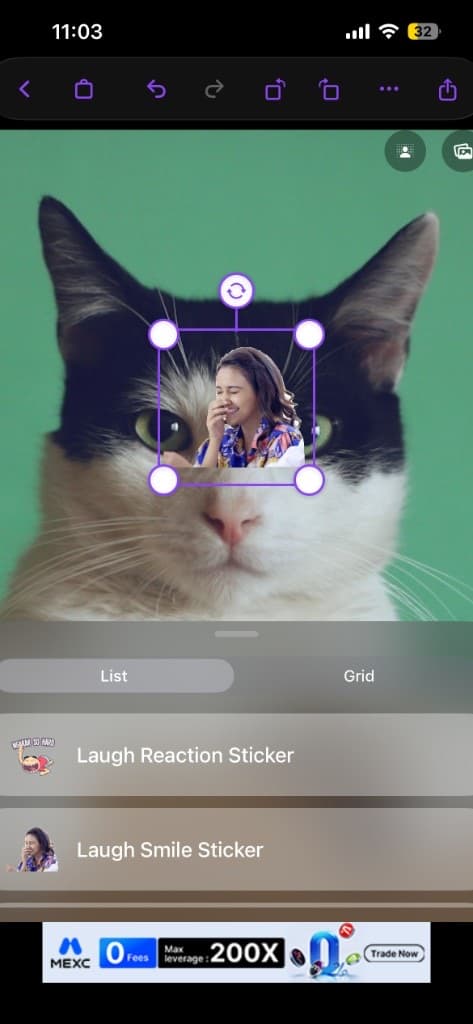
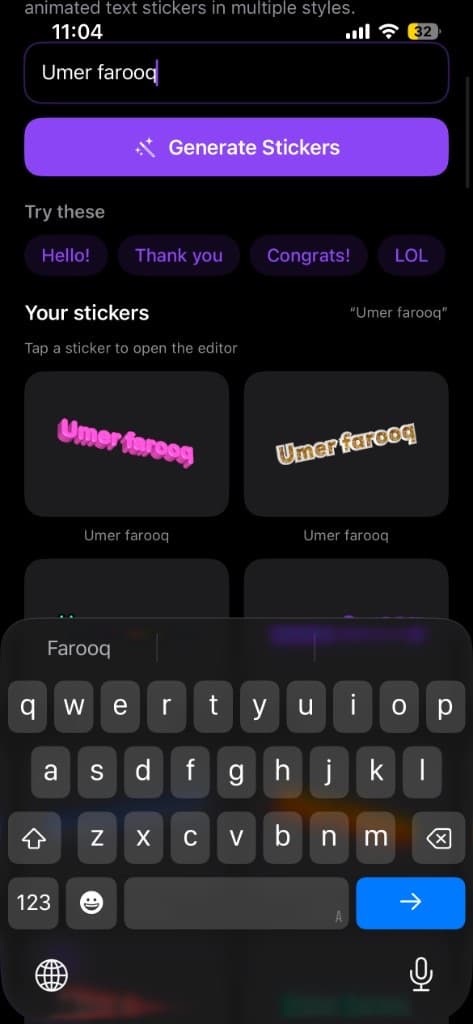
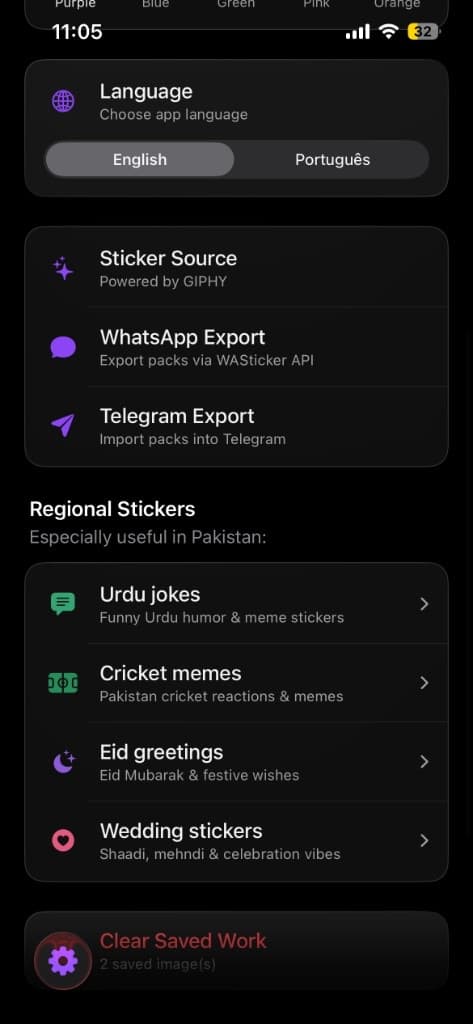
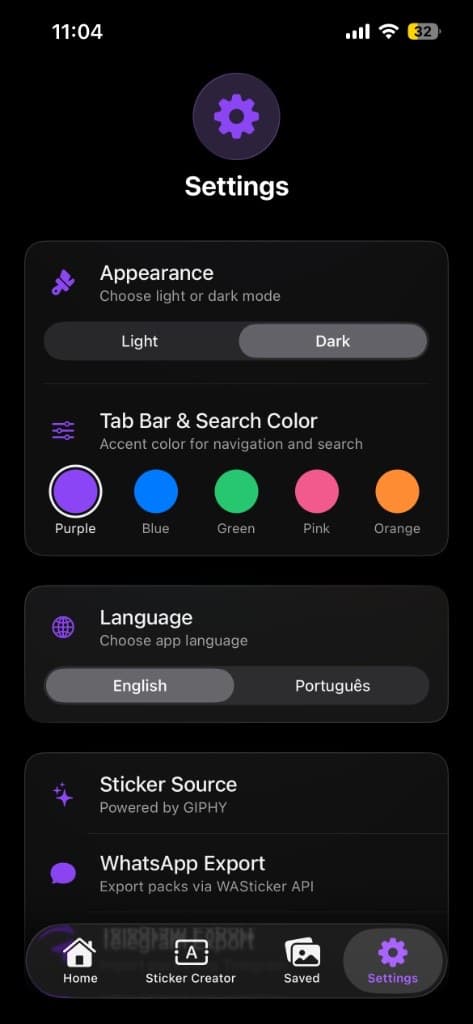
Product tour — home feed and packs, sticker editor, text/prompt creator, settings, and regional sticker categories.
Overview
Custom stickers have quietly become their own language in group chats — a friend’s face mid-laugh, a pet doing something ridiculous, a reaction pulled from a specific inside joke. The problem was never the idea; it was the process. Cutting a subject out of a photo, adding text, and getting it into WhatsApp or iMessage in a usable format used to mean bouncing between three or four different tools.
Create Sticker from Photo was built to compress that entire process into seconds. Point the camera or pick a photo, the background disappears automatically, add text or an emoji if you want, and export straight into the messaging app you actually use — no separate editing app, no manual cutout work, no file format guesswork.
The problem
Looking at how people were actually creating custom stickers before this app, a few consistent frustrations came up.
- Manual background removal in general photo editing apps required real editing skill — most casual users gave up or ended up with rough, uneven cutout edges
- Getting a finished sticker into WhatsApp, iMessage, or Telegram in the correct format and size often required a separate conversion step or a completely different app per platform
- Existing sticker apps were often locked to static images only, with no simple path to animated or GIF-based stickers
- The whole process, start to finish, could take several minutes across multiple apps — far too slow for something meant to be a spontaneous, in-the-moment reaction
Designing for Speed: Photo to Sticker in Seconds
Speed as the core design constraint
Stickers are almost always created in the moment — reacting to something funny that just happened, capturing an expression before it’s gone. If the app takes longer than the moment itself, people simply won’t use it.
Automatic cutout as the default first step
Background removal had to be the default path, not an optional manual tool buried in menus — open a photo, subject separated, ready to decorate.
One-tap export presets per messaging app
Rather than a generic “save image” that leaves formatting to the user, each destination (WhatsApp, iMessage, Telegram, Snapchat) gets presets that match that platform’s sticker size and packaging rules.
Architecture & tech stack
Create Sticker from Photo is a SwiftUI iOS client organized around a single fast loop: capture or pick → on-device subject segmentation → optional text/emoji overlays → platform export. Background removal runs locally so the app stays usable offline and photos never need to leave the device for cutouts. A compositing layer handles captions, emoji, and edge cleanup before an export module translates the same base sticker into each messaging platform’s size, format, and packaging rules. Animated stickers reuse the same loop with a frame-extraction and compression path tuned for platform upload limits. A local sticker library stores previously created stickers for reuse without accounts or cloud storage.
| Category | Tools / tech |
|---|---|
| Mobile framework | Native iOS (Swift / SwiftUI) |
| Background removal | On-device ML subject segmentation (Vision / Core ML pipeline) for fast offline cutouts without uploading photos to a server |
| Image processing | On-device compositing for text/emoji overlays, edge smoothing, and export rendering at platform-safe dimensions |
| Animated stickers | Frame extraction and encoding pipeline for short video clips / Live Photos into animated or GIF-style stickers |
| Export | Platform-specific handling for WhatsApp sticker packs, iMessage sticker flows, Telegram formats, and Snapchat-friendly exports |
| Storage | Fully on-device sticker library — no account or cloud sync required for the core loop |
| Content packs | Regional packs (Urdu jokes, cricket, Eid, weddings) plus selfie, pet, meme, and cartoon-style creation paths |
| Distribution | App Store — Create Sticker from Photo |
Key features
Automatic background removal
Point the camera or select a photo, and the subject is automatically separated from its background in seconds — no manual cutout tools or editing skill required.
Engineering challenges & solutions
Solution
Used an on-device segmentation model rather than a cloud API, which removed network latency entirely and kept the app usable offline — combined with edge-smoothing post-processing to clean up rough cutout edges automatically, especially around hair and soft edges.
Results
- Shipped on the App Store as Create Sticker from Photo with a complete photo → cutout → decorate → export loop
- On-device background removal so stickers can be made offline without uploading personal photos for cutouts
- Export paths for WhatsApp, iMessage, Telegram, and Snapchat with platform-aware sizing and packaging
- Animated / GIF sticker support from short clips and Live Photos, plus regional packs (Urdu jokes, cricket, Eid, weddings)
What I’d do differently
- I would invest earlier in animated sticker polish — engagement around motion stickers is consistently higher than static-only flows.
- Hair and fur edge cases in the segmentation model still deserve dedicated fine-tuning samples beyond general subject cutouts.
- Custom multi-sticker pack creation (bundling several stickers for platforms that support packs) should have shipped sooner as a first-class feature, not a later add-on.
Frequently Asked Questions
Building a photo utility or messaging add-on people open in the moment?
Book a free consultation or message on WhatsApp — bring your capture → edit → export loop, on-device ML constraints, and which messaging platforms matter first.
Prefer a quick jump? Start on the ads landing page or return to portfolio.